

Description
Clean White Theme with Transparent Design
Overview
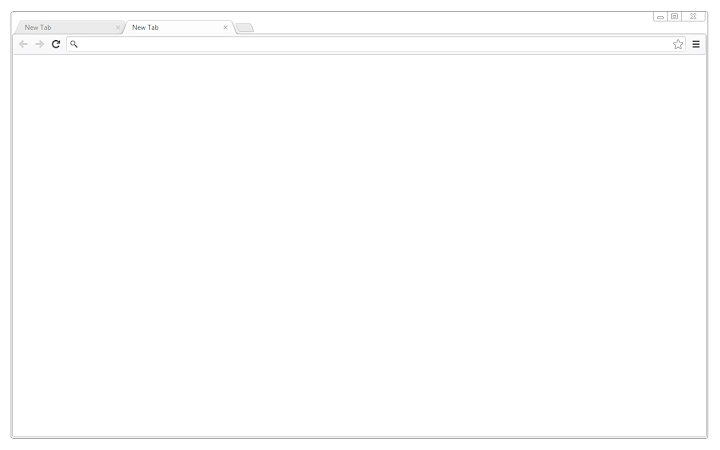
White Minimalism is a browser extension designed to transform the visual interface of Chrome with a clean, white aesthetic enhanced by transparency options. The theme allows users to maintain a minimalist look while keeping the browser’s frame and tabs transparent, offering a modern, uncluttered workspace. It is intended for individuals who value visual clarity and a distraction-free browsing environment. The extension is suitable for both casual users and professionals who prioritize a streamlined digital interface. Although the developer did not provide additional background information, the theme’s focus on simplicity suggests a design-oriented approach. Real-world use cases include daily web browsing, content creation, and productivity tasks where a calm visual environment supports focus. The theme integrates directly into the Chrome browser, requiring no complex setup, and is ideal for users seeking a lightweight, non-intrusive enhancement to their digital workspace.
Key Features & Capabilities
- Minimalist White Aesthetic – Provides a clean, white interface that reduces visual noise and enhances readability across web pages.
- Transparency Mode – Offers the ability to make the browser’s frame and tabs transparent, creating a seamless blend with the desktop background.
- Lightweight Design – With a file size of 1.2 MB, the extension is optimized for minimal resource usage and fast loading.
- Cross-Platform Compatibility – Functions on Windows, Mac, and Linux, ensuring consistent performance across different operating systems.
- Easy Installation – Can be installed directly from the Chrome Web Store with no additional configuration required.
These features are particularly beneficial for users who work in design, writing, or research, where a calm interface minimizes distractions. The transparency feature allows the desktop background to show through, enabling a personalized, immersive browsing experience. The lightweight nature ensures that the theme does not impact browser performance, making it suitable for systems with limited resources. Users can switch between standard and transparent modes based on their current task or preference, offering flexibility in visual presentation.
User Interface, Workflow & Performance
The user interface of White Minimalism is entirely visual, focusing on the browser’s appearance rather than functional tools. Navigation is handled through the Chrome extension manager, where users can enable, disable, or remove the theme with a few clicks. The workflow is straightforward: install from the Chrome Web Store, apply the theme, and choose between standard white or transparent modes. No additional steps are required, ensuring a seamless onboarding process. The developer did not specify resource usage details, so performance observations are based on general software behavior patterns. The extension is expected to have minimal impact on CPU and RAM usage due to its lightweight design. Stability is likely to be consistent, as the theme does not interact with web content or browser processes beyond styling. The absence of complex functionality reduces the risk of conflicts or crashes.
Compatibility & System Requirements
White Minimalism is compatible with Windows, Mac, and Linux operating systems. The extension requires Chrome or a Chromium-based browser to function. The installation size is 1.2 MB, which is considered small and efficient for a browser theme. The developer did not specify exact system requirements, including minimum RAM, processor, or storage needs. Compatibility information was partially provided, with no mention of older browser versions or unsupported platforms. Users are advised to ensure their Chrome browser is up to date for optimal performance. The theme does not require administrative privileges during installation, making it accessible to all user accounts on a device.
Pros and Cons
Pros
- Simple, clean white design enhances visual clarity.
- Transparency option creates a modern, immersive browsing experience.
- Lightweight at only 1.2 MB, minimizing system impact.
- Available for Windows, Mac, and Linux users.
- Free to download and use with no hidden costs.
Cons
- Only available for Chrome and Chromium-based browsers.
- No customization beyond theme color and transparency.
- Developer information not provided, limiting trust verification.
- Performance and stability details were not disclosed.
- Limited to visual changes; no functional enhancements.
FAQ Section
Is White Minimalism compatible with all browsers?
White Minimalism is designed for Chrome and Chromium-based browsers. It is not available for Firefox, Edge, or Safari unless explicitly supported by the developer.
Is the extension safe to use?
As a browser theme from the Chrome Web Store, it is subject to Google’s security review process. However, users should only install extensions from trusted sources and review permissions before enabling.
How do I update the theme?
Updates are automatically managed by the Chrome Web Store. When a new version is available, it will be installed automatically if the extension is enabled.
Can I use this theme offline?
Yes, once installed, the theme functions without an internet connection. However, initial installation and updates require an active connection to the Chrome Web Store.
Is there a license type or subscription required?
No, the extension is completely free to use with no license or subscription needed. It does not include premium features or in-app purchases.
Final Thoughts + CTA
White Minimalism delivers a sleek, distraction-free browsing experience with a clean white interface and optional transparency. Its lightweight design and cross-platform availability make it a practical choice for users seeking a minimalist aesthetic. While it lacks advanced functionality, its purpose is clear: to enhance visual appeal without compromising performance. The theme is ideal for professionals and casual users alike who value simplicity and a modern look. With no cost and easy installation, it offers a risk-free way to refresh your browser’s appearance. Download White Minimalism now to transform your browsing environment with a modern, secure, and efficient desktop utility.
Guides & Tutorials for White Minimalism Theme for Chrome
How to install White Minimalism Theme for Chrome
- Click the Preview / Download button above.
- Once redirected, accept the terms and click Install.
- Wait for the White Minimalism Theme for Chrome download to finish on your device.
How to use White Minimalism Theme for Chrome
This software is primarily used for its core features described above. Open the app after installation to explore its capabilities.
User Reviews for White Minimalism Theme for Chrome 0
No reviews found





